Showing posts with label Angels. Show all posts

Tuesday, November 13, 2012

Updates... Updates... Updates!

Alright, Sinners! I', still working on any number of projects... as mentioned in the last post... and some of them are nearing completion. In addition, I've been grinding away on all the updates that desperately need to be done for the store. I've made good progress on that front recently... including updates for most of the Classic Prim Demon Horns, the Classic Furred Demon Legs, the Umbral Ears, the Flexi Prim Demon Tails (all 52 of them! Yarrr!), and the Gamorean Sculpted Hooves!

All of these items have been updated to the latest A4 and Sinteract! scripting... and they all now include a Lite A4 HUD in their packages, just like the updates to the Wings earlier this year, and the new Mesh Horns and Animated Mesh Demon tails! Additionally, there are Demo crates available for all of them at the Main Store and on the SLMP.

More soon!

Friday, June 15, 2012

Sinful Needs Wings Update!


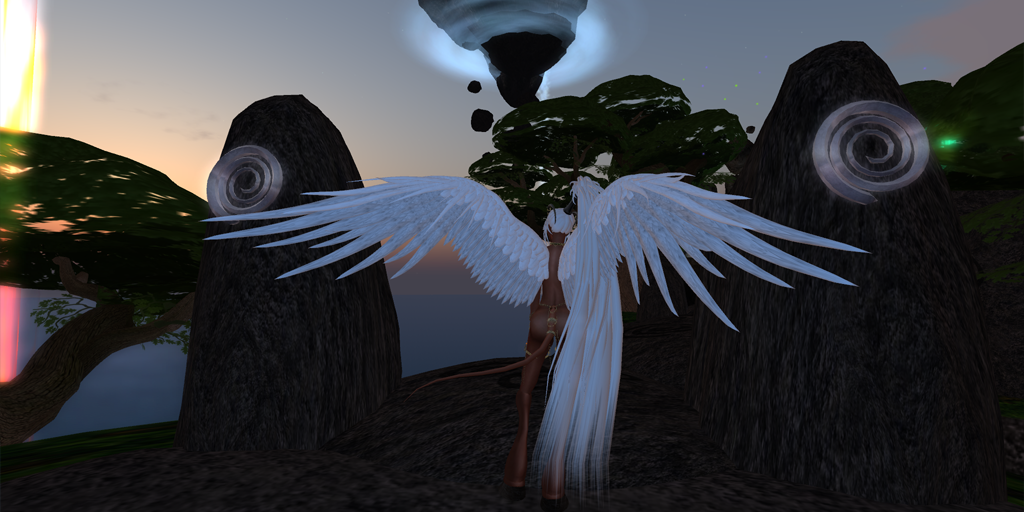
Greetings, Sinners! The v.2.13 Seraph II and v2.11 Demon Wings updates just went out full of some A4 refinements, including a workaround for that annoying issue where the wings don't show they are repositioning until you take them off and put them back on. The Update notes are:

    Package now includes an A4 HUD Lite for customization. See package notecards for details.
    Added in a workaround to the A4 Scripting to full attachments will now correctly reposition via script, without having to remove them to force a viewer update.
    Added Coms handler to Wing Core scripts to receive the Hide/Show command from the Wings panel buttons added last HUD update.
    Added subpart bypass for Shoulders/Wings PSR to perform 'ALL' changes to wings. Which just means that Shoulders/Wings will properly adjust the positional and rotational adjustments for the whole wings at the root prim as they should.

The big thing for new customers is the A4 HUD Lite, which is something that will be getting to all items as they are updated to the latest scripting. This move has become necessary as I start working with more and more specialized textures for attachments (like the Ears, Breasts, Mesh Horns, etc). That said, don't give up on your One HUD package... additions will be coming to that package in it's next update, including some more useful package options and new gifts for HUD owners ;)

Monday, February 6, 2012

Sinful Needs Gets Inked!

Initially designed to compliment and customize the scarification on his Ba'al & Lilith demon skins, Galathir has created a set of tattoos that follow the same demonic lines that those scars do (though this kinky ink looks incredible on any skin). The Full Body Tattoo set comes with two types of tattoo: 1 that follows the scars themselves, outlining the area within (the 'Outline' version), and those that fill the area within (the 'Inner' version). Due to some significant difference in the way light RGB tints and dark RGB tints played on the Outline versions, Galathir took that one step further and offered 'Light' and 'Dark' versions of the Outline tattoos. Not content with just those few options, the Master of Option Overkill further created 25%, 50%, 75%, and 100% saturation versions of those tattoos so you could get just the level of ink you desire! That's 12 full body tattoo options... ALL of which are 100% RGB tintable! The Inner & Outline Dark tattoos come out of the bag pre-tinted black, while the Outline Light tattoos come un-tinted white. To change the color they are tinted with, wear them and use the SL 'Edit Appearance' or 'Edit Outfit' feature, depending on what viewer you are using:

• For Phoenix 1.60 & Other Viewer 1 derivatives: Right-Click your avatar and choose 'Appearance' from the radial menu. Now choose the Clothing Layer you are wearing (i.e. Tattoo, Undershirt, Underpants, Socks, Glove, Shirt, or Pants). You will see a 'Color/Tint' box near the middle of the window. Click that panel, and you can use your normal color swatches, type in RGB values, or use the picker to choose a new color of the tattoo!

• For Firestorm & Other Viewer 2/3 derivatives: Find the tattoo/clothing layer in your inventory that you are wearing, Right Click it, and choose 'Edit.' You will see a 'Color/Tint' box near the middle of the window. Click that panel, and you can use your normal color swatches, type in RGB values, or use the picker to choose a new color of the tattoo!

In addition to the Tattoo Layers, Galathir has provided Shirt, Undershirt, & Glove layers for the upper body tattoos, as well as Pants, Underpants, & Sock layers for the lower body tattoos for those who don't have a Tattoo layer available. Note, however, that the Facial Tattooing will NOT appear unless you wear an actual Tattoo Layer.

Saturday, February 4, 2012

God Silks got more Divine!

The God SIlks: Destroyer of Hope sets havejust  been updated to A4.1! This is a major polish update, unlocking all of the fantastic features the v2 HUD brought to Sinful Needs, and will have you falling in lust with this set all over again!

For you lil Petites flitting about, this set will now freely scale down to the 35% you'll need to fit your tiny Fallen!

For those who already have the set and are eager to get your update, it should come the next time you wear your set... or log in wearing it. You can also opt to visit the Redelivery Terminal at the main store. If all else fails, IM Galathir Darkstone and I'll get it to you ASAP!


Update Notes:

(20120204) v1.10:
    Major A4.1 Update! Now compatible with all A4.1 Features including:
        Indicator Lights (no more chat spam)
        RGB Color Picker
        Animated Texture controls
        Bump Mapping changes
        Sinteract! My Toys Panel
        Attachment-Class Link limited Changes
        Improved Access Control, including available Masters Menu access
        Script Locking/Removal
        No more long-arsed item names in your Sinteract! Emotes!
       
    Additionally, the God Silks have been directly improved:
        All versions of Lower Silks now combined & Menued
        Reduced Script Counts
        Smoother Tail animations (no more weird Scissoring... ever!)
        Menus for:
            Hide/Show Tail (shrinks & buries prims in the root!)
            Single Drape toggle forthe new Tattered Runecloth
                & Furs textures in the Silks Texture Group
            Hide/Show:
                Codpiece/Futa Cover
                Bikini
                Front Silks Drapes
                Back Silks Drapes
            Close/Open Codpiece toggle for Male silks (Open is like the
                classic non-enclosed lower silks - 'Peekable')
            Extend & Retract the tail Spines (just like the Darkspine gear
                even responds/sends to those pieces)
        Tail Texture Alignment now corrected to work with Ba'al/Lilith
                (and other gradient) tail textures
        Flesh Texture Alignment onLegs & Hooves also correctly oriented
        Silks Textures re-aligned for proper display of new Silks Textures

Wednesday, February 1, 2012

The Eyes Have It!

Greetings, Sinners! The Occularum Prim Eyes have hit the store! You'll need the A4 HUD for all the customizations, but glow, shine, & texture changing eyes are now waiting for you at Sinful Needs. Oh... did we mention they come with 2 texture packs that house 28 colors of eyes on 10 pupil patterns? 280+ eyes all in one! Ready for any future texture packs Galathir may craft for his eyes... these may be the last pair you ever need!

Tuesday, January 31, 2012

Gettin' Hot in here!

Galathir is proud to announce his first Special Effects set for Sinful Needs! This powerful set of scripted attachments produces some stunning Hellfire particle effects, which are comprised of Galathir's own custom combination of up to 6 brand new particles, blending together 4 colors you can completely customize through your A4 HUD! Not only can you tweak and massage the colors to create just the look you want, but you also have control over just how much is enough! Starting with the flames particle effects, which are actually comprised of 3 layers of images riding on your palette of 4 custom colors, you can choose to add Sparks, Hellfire Droplets, & Smoke to fill the air with menace or delight to suit your whims!

For a thorough preview of how flexible the effects are, as well as a tutorial on how to wrangle all the power under your control, take a look at the new tutorial video on Galathir's youTube Channel:

Tuesday, January 24, 2012

New Hair to Sin in!

Some of you have already asked me about the new hairstyles I snuck into some of the Darkspine Sentinel images (including the one Vyvienne is wearing in the store)... and those are now available! I've just added 8 new Female Hairstyles to the store in the new Sorceri Hair line! As you'll see, one of these styles was inspired by a long time favorite hairstyle that's no longer available in SL, and the others grew from that one! All 8 features some nice details, and are packed with the latest A4.1 & Sinteract! scripting. You can find 2 vendors at the front of the main store (opposite the Multi-vendors) and one on the second floor by the eyes. Additionally, these should be available in the multi-vendor at the  Vleet Mature Satellite shop. Box shots & more info follow.

Wednesday, July 20, 2011

Wings, Wings, Wings @ Sinful Needs!

Well that actually sounds like the Event Notice Chatter for one of the club events in The Pit, it's actually the harking call of updated and new wings in the store!

The long-loved yet venerable Seraph wings just got a MAJOR overhaul, courtesy A4.1, fresh Core scripting, the latest Sinteract! scripting, and some beautiful new sculpt maps! The end result is a really gorgeous set of wings that improve on the style of the old Seraphs without losing their charm, while reducing the prim count from 197 prims per wing to 66, dropping the script count from 150+ per wing down to 21 TOTAL for the pair, and adding all the latest A4 and Sinteract! Mojo.

The new Seraph IIs are now fully compatible with the v2 A4 HUD, including the indicator lights to kill off the chat spam, the new RGB tinting panel, the capacity to 'Lock' your wings, deleting either just the PSR scripts or all 3 A4 scripts from a copy of your wings, and all the joys of the new Sinteract! Panel on your HUD. Wear the new wings, click the A4 button on your HUD, and go to My Toys (the top edge of the panel). Then choose your wings out of the menu that pops up! You can Sinteract! right from there... and you can even use the Main > Attachment menu to get access to the core script menu from there as well, all without having to click your attachments.

The Seraph IIs turned out so well, that the base build deserved some more attention... and that's just what it got in the new Seraph II Crusader Armored Wings and Seraph II Consort Jewelled Wings! You can find all three in the Main Store and the Vleet Satellite, as well as on the SL Marketplace here:

Seraph II Bare Wings

Seraph II Crusader Wings

Seraph II Consort Wings

**Note: Current customers who already have the A4 version of the old Seraph Wings should receive the Seraph II update package the next time they wear them. If you don't, please IM Galathir Darkstone and I'll get it sorted out for you ASAP **